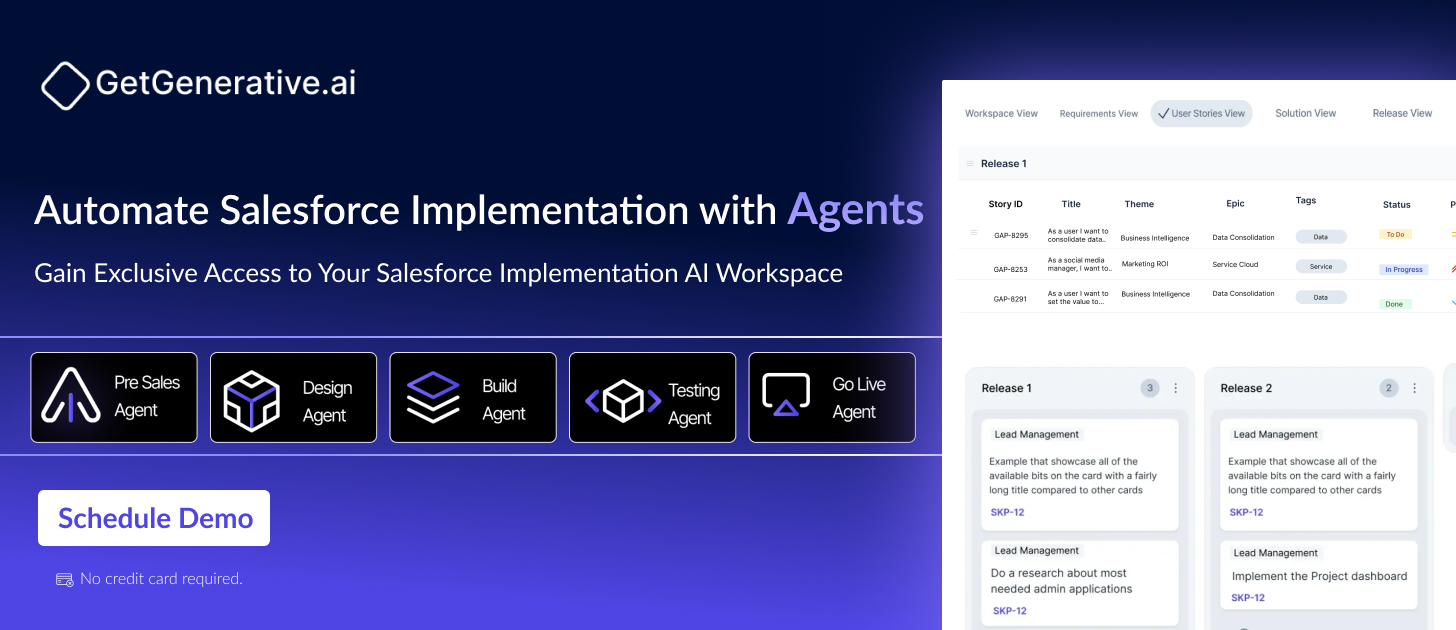
Speed Up Salesforce Implementation Without Expanding Your Team
Speed Up Salesforce Implementation Without Expanding Your Team
Salesforce is an industry-leading CRM, but let’s be honest—getting it up and running can feel like navigating a maze. Between complex requirements, data migration, custom configurations, and user training, implementation quickly becomes a time- and resource-intensive journey. For smaller teams, it can be overwhelming without hiring external consultants or scaling headcount.
That’s where GetGenerative.ai steps in as a game-changer.
Designed to automate the end-to-end Salesforce implementation lifecycle, GetGenerative.ai empowers organizations to go live faster—without expanding their team. At the heart of this platform are six intelligent agents, each focused on a specific phase of the implementation journey. Together, they reduce manual work, improve project accuracy, and drive faster outcomes.
Let’s dive into how these agents work and why they’re redefining how teams approach Salesforce projects.
The Traditional Salesforce Implementation Bottleneck
Salesforce’s flexibility is both its greatest asset and its biggest challenge. Customizing it to fit unique business workflows often involves:
Complex requirement gathering
Manual solution design
Tedious configuration and coding
Repetitive testing
Risky deployment
Ongoing support
All of this typically requires a large team or third-party consultants. But for teams aiming to do more with less, that model just doesn’t scale. Instead, they need automation, clarity, and speed—without compromising quality.
How AI Agents Streamline Salesforce Implementation
GetGenerative.ai automates core tasks using specialized agents that operate like virtual team members. Each agent is trained to handle a specific responsibility, from early scoping to go-live and beyond. This means your existing team can deliver faster, more reliably—without burning out or needing to bring in external help.
Here’s a breakdown of how each AI agent adds value to your implementation lifecycle.
Pre-Sales Agent: Fast, Accurate Proposal Creation
Salesforce implementations often begin with vague requirements and unclear scopes. The Pre-Sales Agent takes the guesswork out by automatically:
Extracting client needs from documents or conversations
Creating structured project scopes with clear deliverables
Generating cost and effort estimates with AI precision
By producing detailed, accurate proposals early, this agent helps eliminate surprises down the line and ensures seamless handoff from sales to delivery.
“Artificial intelligence and generative AI may be the most important technology of any lifetime.”
Design Agent: Translating Business Needs into Solution Blueprints
Once the deal is signed, the Design Agent transforms ideas into actionable designs. It structures your project using themes, epics, and user stories, then generates both high-level and low-level architecture for Salesforce configuration.
Key benefits include:
Faster alignment between business and technical teams
Automated solution documentation Seamless integration with tools like Jira for project tracking
This agent ensures your team begins development with clarity, reducing rework and decision fatigue later.
Build Agent: Automating Configuration and Development
Traditionally, Salesforce development involves hours of manual configuration, metadata setup, and code creation. The Build Agent changes that.
It automatically generates:
Salesforce metadata based on the approved design
Code snippets and Apex logic
Error-checked configurations ready for deployment
This cuts development time dramatically, allowing even small teams to implement complex business logic and custom components without heavy dev resources.
Test Agent: AI-Driven Quality Assurance
After development, rigorous testing is essential—but it’s also time-consuming. The Test Agent lightens the load by:
Generating structured test plans from solution designs
Creating automated test cases
Tracking defects and test coverage
This ensures bugs are caught early, reducing the risk of last-minute failures or rework. It also improves the confidence of stakeholders before go-live.
Support Agent: Ensuring Stability After Launch
Many teams focus all their energy on getting Salesforce live, but what happens after deployment is just as important. Without proper support, even a well-executed implementation can falter. The Support Agent provides a dedicated layer of post-launch oversight without adding workload to your internal team.
Here’s how it adds value:
Monitors user activity and performance
Identifies post-launch issues or adoption blockers Surfaces common support tickets and suggests resolutions
Instead of reactive troubleshooting, your team can be proactive—addressing challenges as they arise and ensuring long-term platform health.
Deploy Agent: Flawless Go-Live Execution
Deployment is often the riskiest part of any Salesforce project. One misstep, and it could mean broken workflows, downtime, or frustrated users. The Deploy Agent minimizes that risk by automating the final implementation phase.
Its core capabilities include:
Seamless configuration migration across environments
Real-time deployment tracking and validation
Post-deployment health checks and issue detection
By automating these tasks, the Deploy Agent ensures your go-live process is smooth, controlled, and stress-free—even for complex orgs with tight deadlines.
How GetGenerative.ai Saves Time and Resources
Let’s break it down in terms of real-world outcomes. Using GetGenerative.ai’s agents enables teams to:
Reduce time-to-market by automating scoping, development, and deployment.
Avoid miscommunication between stakeholders by turning unstructured input into structured project plans.
Minimize rework with AI-driven accuracy in both design and code.
Ensure consistent quality across testing and release cycles.
Maximize internal bandwidth by removing repetitive, manual tasks.
All of this happens without increasing team size, allowing leaders to scale implementations without scaling headcount. That’s a major advantage in today’s lean, efficiency-focused business landscape.
With so many businesses undergoing digital transformation, Salesforce has become the go-to platform for scaling customer relationships. But traditional implementation methods haven’t evolved at the same pace.
By embracing automation, organizations not only speed up delivery—they set themselves up for long-term success with cleaner systems, better user adoption, and fewer implementation headaches.
“AI could enhance productivity, lower costs, and spur continuous improvement, potentially boosting growth rates and per capita income.”
By freeing your team from repetitive tasks and arming them with intelligent tools, you unlock the full potential of Salesforce faster than ever before.
Book a personalized demo and discover how you can accelerate your Salesforce projects – without expanding your team.
If your goal is faster rollouts, lower risk, and less overhead, it’s time to rethink how you implement Salesforce!
Salesforce is showing no signs of slowing down — by 2025, its annual revenue is expected to hit around $38 billion. It’s a clear sign that more and more businesses are depending on Salesforce to power their operations.
But here’s the thing: the real success of a Salesforce implementation doesn’t start with the first line of code. It starts way earlier — in the presales and project scoping phase. That early groundwork sets the tone for everything that follows, helping teams align expectations, allocate the right resources, and avoid challenges down the road.
What is Salesforce Presales?
Salesforce Presales refers to all the strategic and technical conversations, evaluations, and planning that take place before a Salesforce project is officially initiated. This includes identifying business needs, defining scope, understanding budgets, and ensuring technical feasibility. It’s not just about selling — it’s about setting the stage for a successful delivery.
Why Presales is Crucial for Salesforce Projects
Skipping or rushing through the presales process can lead to missed requirements, misaligned expectations, and inflated timelines. A well-structured presales phase allows both the sales and delivery teams to work from a shared understanding of what’s being promised — and what it will take to deliver.
Think of presales like drafting a blueprint before building a house. Without it, you might end up with an impressive façade but a weak foundation. In Salesforce projects, that translates into scope creep, delayed launches, or features that don’t meet the business’s needs.
Project Scoping in the Salesforce
Project Scoping is the act of defining what the project will and won’t include. In Salesforce, this involves identifying which clouds will be used, how many users will be onboarded, what integrations will be needed, and how the platform will be customized.
Without clearly scoped requirements, it’s easy for expectations to balloon or for critical work to fall through the cracks.
Challenges of Scoping Without a Framework
Organizations that rely on spreadsheets or generic documents often struggle with consistency and clarity. Estimates may vary wildly between sales reps. Important assumptions may be left undocumented. And timelines might be overly optimistic or padded with unnecessary buffer.
Without a repeatable framework, each scoping session becomes a reinvention of the wheel. That’s not just inefficient — it’s risky. Inaccurate scoping leads to underestimation, missed deadlines, and dissatisfied clients.
Key Components of Effective Presales Scoping
So how do you create a scoping process that’s both thorough and efficient? The answer lies in combining smart tools with a structured approach. Let’s break down the essential components.
Discovery and Stakeholder Alignment
The first step in scoping is understanding the client’s world. This means conducting discovery sessions to gather business goals, current challenges, existing systems, and future vision. It’s not just about asking what features they want — it’s about understanding the “why” behind those features.
These sessions should involve both decision-makers and end-users. Sales leaders might focus on revenue goals, but service reps can shed light on operational pain points. Bringing everyone to the table early avoids costly misunderstandings down the line.
“When deploying AI, whether you focus on top-line growth or bottom-line profitability, start with the customer and work backward.”
Rob Garf, Vice President and General Manager, Salesforce Retail
Scope Libraries and Templates
Using pre-built scope templates can accelerate the scoping process without sacrificing accuracy. A scope library includes reusable components for common project types, like Sales Cloud setup, Service Cloud customization, or CPQ configurations.
Templates not only save time — they ensure consistency across teams. Instead of writing everything from scratch, sales engineers can select pre-validated components and adjust them based on client-specific needs. This makes the process scalable and repeatable.
Accurate Timelines and Effort Estimation
One of the trickiest parts of presales is estimating how long a project will take. Timeline builders help translate scope items into realistic schedules based on historical data and project size.
Effort calculators can take estimated hours for a core role (like a developer or architect) and automatically extrapolate the required effort for related roles, ensuring that time and budget estimates are grounded in reality.
This prevents both under- and over-scoping — two of the most common pitfalls in Salesforce implementation projects.
Roles, Rates, and Resource Modeling
An accurate scope isn’t just about tasks — it’s about people. Scoping tools should allow you to assign specific roles (like Business Analyst, Technical Architect, or QA Tester) and associate them with predefined rates.
This enables the sales team to calculate labor costs early, incorporate margins, and set realistic pricing. It also helps delivery managers plan staffing in advance, reducing the risk of bottlenecks or resource shortages once the project kicks off.
Pricing and Margin Visibility
Salesforce deals can be structured as Time & Materials (T&M) or Fixed Fee. Either way, having pricing visibility during presales is key.
A built-in pricing engine allows teams to apply discounts, factor in travel expenses, and see real-time impact on profit margins. This level of transparency not only speeds up approvals but also ensures deals are aligned with company policies from the start.
A good scoping session isn’t about running through a checklist. It’s about uncovering details that shape the entire implementation. That’s why your discovery questions need to be tailored to Salesforce-specific scenarios.
The goal here isn’t just to gather requirements — it’s to uncover unknowns, challenge assumptions, and define boundaries. Let’s break down some critical areas to explore during discovery.
Data Migration Considerations
Data migration is often more complicated than clients expect. Asking the right questions upfront helps define both effort and risk.
What systems currently store the data that will be migrated to Salesforce?
What’s the volume and complexity of the data?
Are there duplicate records, dirty data, or old fields that need cleansing?
Will legacy data need to be archived or fully imported?
These questions help determine the tooling and strategy needed — whether it’s a simple import or a multi-phase migration using middleware or custom scripts.
Integration Requirements
Salesforce doesn’t operate in a vacuum. Most businesses rely on a mix of systems — from ERPs to marketing platforms and internal databases. Understanding how these systems interact is key to getting scoping right.
What external systems need to be integrated?
Are the APIs available and well-documented?
Will the integration be real-time or batch-based?
Are there security or compliance constraints?
This area often requires input from technical SMEs, as some integrations might demand custom connectors or middleware solutions.
One of Salesforce’s biggest strengths is its ability to adapt to a business’s processes. But that also means every client wants something a little different.
What are your core business processes?
Are there approval workflows or automations that must be replicated?
Will custom objects or components be needed?
Are there compliance workflows tied to specific industries?
Capturing these details early prevents misalignment between the platform’s capabilities and the client’s expectations.
Collaborating With Subject Matter Experts (SMEs)
Salesforce projects are rarely one-size-fits-all. If the presales team doesn’t have deep expertise in a specific product area — such as Experience Cloud, CPQ, or Nonprofit Success Pack — it’s smart to bring in a subject matter expert.
SMEs don’t just answer technical questions. They help uncover complexities the client may not even realize exist. For instance, a CPQ specialist can ask targeted questions about pricing models and discounting rules that a generalist might overlook.
This collaboration improves accuracy, reduces rework, and builds credibility with the client. It also ensures that no part of the project is scoped in isolation or with incomplete context.
Create Proposal in Minutes with GetGenerativeAI
GetGenerative.AI dramatically reduces manual effort, speeds up delivery, and minimizes costly errors. Instead of spending hours on manual proposal creation, planning, development, and testing, teams can rely on intelligent agents to do the heavy lifting.
Pre-Sales Agent creates accurate proposals with cost and resource estimates
Build Agent automates configuration and development tasks
Test Agent handles validation, cutting down testing time and errors
Deploy Agent streamlines deployment with minimal manual effort
Support Agent proactively monitors systems to prevent expensive issues
Conclusion
Salesforce implementation isn’t just about writing code or configuring workflows — it’s about solving business problems. And the first step in solving those problems is understanding them fully through a structured presales and scoping process.
By focusing on proactive discovery, leveraging reusable templates, involving SMEs, and using smart tools like Estimator, organizations can dramatically improve their win rates and project outcomes.
Presales isn’t a checkbox. It’s your foundation. Do it well, Use AI to make it easier, faster, and more successful.
Salesforce Implementation Proposal Checklist
Salesforce Implementation Proposal Checklist
A Salesforce implementation proposal needs eight sections: client context, objectives, scope of services, approach and timeline, team and credentials, assumptions, commercial model, and acceptance terms. Buyers rarely score the first two and almost always score the middle four, which is the opposite of where most effort goes.
Before working through the list, hold one distinction. A proposal persuades and may stay approximate. A statement of work binds and cannot. Salesforce’s own customer agreements make the point contractually, defining a deliverable narrowly as any output identified as a deliverable under a statement of work or order form, which means nothing in a proposal is a deliverable until it survives into the contract.
Eight sections carry a Salesforce implementation proposal
Section
Job it does
Length that works
1. Client context
Proves you listened, in their language rather than yours
Half a page
2. Objectives
States the measurable outcome the project serves
Half a page
3. Scope of services
Names deliverables that can be inspected and handed over
Two to three pages
4. Approach and timeline
Shows the sequence, dependencies and what you need from them
Two pages
5. Team and credentials
Names the people, their certifications and their availability
One page
6. Assumptions
States what must be true, and what happens if it is not
One page
7. Commercial model
Price, structure, payment schedule, what triggers more
One to two pages
8. Acceptance and terms
How the proposal converts into an engagement
Half a page
Eight to fifteen pages covers a mid-sized implementation. Length beyond that reduces the chance anyone reads section 6, which is the section that decides whether the engagement makes money.
Buyers score proposals on risk reduction, not presentation
Where proposal effort usually goes and where it earns are different places.
Cover design, company history, awards and empathetic restatements of the client’s pain carry almost no weight in a scored evaluation. The buyer already knows their pain. Restating it consumes a page and proves only that you were listening, which is table stakes rather than a differentiator.
What moves a score is anything that reduces the buyer’s perceived risk of choosing you. Named people with real availability. Assumptions written as testable statements. A timeline that accounts for their decision speed rather than assuming perfect responsiveness. References in their industry at their size. A commercial model whose structure matches how certain the scope actually is.
The practical rewrite is to take a page from sections 1 and 2, and give it to sections 5 and 6.
Scope belongs in deliverables, not activities
Section 3 fails when it lists activities. “Discovery workshops” is an activity. “Solution design document covering objects, sharing model and integration contracts” is a deliverable, because it can be handed over and inspected.
Write each deliverable with a one-line definition, then write the out-of-scope list underneath it. That second list is the part experienced buyers read first, because it tells them what they will be asked to pay extra for later. Naming the adjacent things a reasonable reader might assume are included, such as additional clouds, historical data beyond a stated cut-off, or training beyond the stated sessions, reads as confidence rather than as hedging.
Four sections most Salesforce proposals leave out in 2026
These follow from platform changes rather than from proposal convention, and their absence is now noticeable to any buyer who has been through a recent implementation.
Addition
What to state
Why it matters
Agent scope
Which agents, how many subagents and actions each
Agentforce work is rarely a line item in older proposal templates
Consumption ownership
That Agentforce and Data 360 usage is metered by Salesforce and billed to the client
It is a recurring cost that continues after you leave
Agent testing approach
Scoring against named quality dimensions, and who sets the threshold
Agent tests are scored rather than passed, so sign-off needs a number
AI usage in delivery
Where AI is used and where client data goes
Buyers now ask, and a vague answer costs more than an honest one
The consumption point is the one that damages relationships when it is missing. A client who discovers a metered bill after go-live remembers that the proposal did not mention it, regardless of what the contract said.
The assumptions register decides whether the proposal survives delivery
Section 6 is short, unglamorous and the highest-leverage page in the document.
Write each assumption as a statement someone other than its author can check, paired with what happens commercially if it proves false. “Client data is of reasonable quality” is not checkable. “Source data comprises three systems and fewer than five percent of records require manual remediation, with remediation above that threshold billable at the stated rate” is.
Three assumptions belong in almost every Salesforce proposal: the data quality threshold, the client decision response time, and integration endpoint documentation. Each is a common cause of overrun, and each becomes a priced event rather than an argument once it is written down.
Proposal content maps to SOW clauses at signature
The proposal is the draft of the contract, whether or not anyone treats it that way. Knowing which sections carry over saves a negotiation round.
Proposal section
Becomes in the SOW
Scope of services
Scope and deliverables schedule, plus the out-of-scope clause
Approach and timeline
Deliverables schedule with dependencies
Team and credentials
Named resources with allocations, if the client asks for it
Assumptions
Assumptions register, contractually binding
Commercial model
Pricing and payment clause, plus change control threshold
Acceptance and terms
Acceptance mechanism with a review window
Write section 6 in contract-ready language at proposal stage and the transition is a copy exercise. Write it as marketing language and you will renegotiate it under time pressure. The full clause set is in from proposal to SOW.
Where Salesforce implementation proposals lose
Mistake
What the buyer concludes
Correction
Activities listed as deliverables
Nothing can be accepted or compared
Every deliverable is inspectable
No out-of-scope list
Change orders are coming
Name the adjacent exclusions
Generic team page
The pitch team is not the delivery team
Name individuals with allocations
Assumptions with no consequences
The number is soft
Attach a consequence to each
Fixed price on undefined scope
Either optimistic or hiding contingency
Match commercial model to scope certainty
Timeline assuming instant approvals
They have not worked with an organisation like ours
State the response time you assumed
Consumption unmentioned
Surprise cost after go-live
State who owns it, plainly
Two of these are worth pairing. A generic team page next to an aggressive timeline reads as a proposal written by people who will not deliver it, which is the single fastest way to lose a scored evaluation to a smaller competitor.
The checklist, condensed
Item
Reference
Sections
Eight, of which scope, approach, team and assumptions carry the score
Length
Eight to fifteen pages for a mid-sized implementation
Deliverable test
Can it be handed over and inspected
Assumption test
Can someone other than the author check it
Sections to shorten
Cover, company history, pain-point restatement
Sections to lengthen
Team, assumptions, out of scope
2026 additions
Agent scope, consumption ownership, testing approach, AI usage
Proposal versus SOW
Persuades and may approximate, rather than binds and cannot
Producing proposals without the weekend
Proposal work is unbillable, competitive and time-boxed, which is the worst combination in consulting. GetGenerative.ai’s Discovery Agent generates the roadmap, business case, scope and resourcing plan that sections 2, 3 and 4 rest on, with up to 70 percent effort saved on business case creation, and the same structure carries into the SOW rather than being rewritten. If you are drafting from notes rather than from a blank page, drafting the proposal with AI covers the workflow.
For teams producing these regularly, the Pro plan for consultants includes a trial period with full agent access, which is long enough to run one live opportunity through it.
Questions consultants ask
What should a Salesforce implementation proposal include?
Eight sections: client context, objectives, scope of services, approach and timeline, team and credentials, assumptions, commercial model, and acceptance terms. In 2026, add agent scope, consumption ownership, agent testing approach and a statement on AI usage in delivery.
How long should a Salesforce proposal be?
Eight to fifteen pages for a mid-sized implementation. Longer documents reduce the chance anyone reads the assumptions section, which is where the commercial protection lives. Depth belongs in scope, team and assumptions rather than in company background.
What is the difference between a proposal and a statement of work?
A proposal persuades and may stay approximate. A statement of work binds and cannot. Nothing in a proposal is contractually a deliverable until it is identified as one in the signed document, which is why proposal language should already be close to contract language.
Should a proposal include pricing?
Yes, with structure rather than a single total. Show cost by phase or workstream, name what is excluded, and state what triggers additional fees. A total with nothing behind it invites the buyer to negotiate the total rather than the scope.
How do I make a proposal stand out?
By reducing the buyer’s risk rather than by design. Named people with real availability, testable assumptions, an honest out-of-scope list, and a timeline that accounts for their decision speed will beat a better-looking document from a firm that promised everything.
Do proposals need to mention Agentforce consumption?
If agents are in scope, yes. Consumption is metered by Salesforce, billed to the client, and continues after the engagement ends. Raising it in the proposal costs one paragraph. Discovering it after go-live costs the relationship.
Challenges In Salesforce Consulting Projects
Challenges In Salesforce Consulting Projects
In 2025, Salesforce continues to be a dominant force in customer relationship management (CRM), serving over 150,000 customers worldwide. This widespread adoption highlights the platform’s significance in modern business operations. However, implementing Salesforce effectively comes with its own set of challenges.
In this article, we will explore the common challenges faced during Salesforce consulting projects and provide insights on how to overcome them for a smooth, successful implementation.
Challenges Faced in Salesforce Consulting Projects
While Salesforce consultants provide invaluable support, there are several challenges they face when implementing the platform. Let’s explore some of the most common hurdles.
1. Data Migration Complexities
Data migration is often one of the most challenging aspects of Salesforce implementations. Migrating data from legacy systems or other CRM platforms to Salesforce requires meticulous planning to ensure data integrity, security, and accuracy. Any errors or omissions in the migration process can result in data inconsistencies, which can significantly impact business operations.
How to Overcome This Challenge:
Salesforce consultants use a structured approach to data migration, starting with a comprehensive data assessment. They clean, validate, and transform the data before transferring it to Salesforce, ensuring that everything is in the correct format. Consultants also leverage automation tools to expedite the process while minimizing errors, guaranteeing a smooth transition with minimal downtime.
“Understanding no-code or low-code toolsets and effectively communicating problems and solutions, even without coding knowledge, can lead to successful outcomes.”
One of the biggest hurdles in any Salesforce consulting project is user adoption. Many employees resist change, especially when they are asked to switch to a new CRM system. This resistance can be due to unfamiliarity with the new platform, concerns over its complexity, or the disruption of their established workflows.
How to Overcome This Challenge:
To foster user adoption, Salesforce consultants prioritize user engagement from the beginning. They provide role-based training, ensuring that employees are equipped to use Salesforce effectively in their daily tasks. Consultants also highlight the platform’s user-friendly interface and time-saving features, demonstrating how Salesforce can make their jobs easier. Ongoing support and a clear change management plan are key to overcoming resistance and ensuring the platform is embraced by users.
Data security is a top priority for any business, especially when dealing with sensitive customer information. Salesforce provides robust security features, but configuring them to meet specific business needs requires expertise.
How to Overcome This Challenge:
Salesforce consultants conduct thorough security assessments to identify potential vulnerabilities in the system. They implement best practices like role-based access controls, encryption, and continuous monitoring to safeguard data. Consultants also ensure that Salesforce complies with industry regulations and standards, which is crucial for businesses in regulated sectors.
4. Customization Challenges
Salesforce is highly customizable, allowing businesses to tailor the platform to their specific needs. However, excessive or improper customization can lead to complications, such as system performance issues, maintenance difficulties, and challenges during future updates.
How to Overcome This Challenge:
Salesforce consultants carefully balance customization needs with best practices. They begin by gathering detailed business requirements and identifying the most essential customizations that align with the company’s goals. Consultants prioritize customizations that add the most value and avoid over-complicating the platform. By adhering to best practices, they ensure that Salesforce remains scalable and future-proof.
5. Integration with Legacy Systems
Many businesses have existing legacy systems, such as ERP or HR platforms, that need to be integrated with Salesforce. However, this integration can be challenging due to differences in data formats, system compatibility, and business processes.
How to Overcome This Challenge:
Salesforce consultants leverage pre-built connectors or custom development to integrate Salesforce with other systems. By ensuring seamless data flow between Salesforce and other tools, consultants help businesses maintain data consistency across platforms. This integration also allows Salesforce to become the central hub for business operations, providing a unified view of customer data.
How GetGenerative.ai Can Help with Salesforce Consulting
AI agents play a pivotal role in automating critical tasks, improving efficiency, and ensuring that every phase of the Salesforce consulting journey is completed with precision.
The Pre-Sales Agent is designed to help consultants quickly gather and refine project requirements. By extracting key information from customer documents and communications, the Pre-Sales Agent automatically generates structured project scopes and cost estimates.
How it Helps:
Extracts customer requirements and business challenges.
Generates project scopes, expected outcomes, and cost estimates.
Ensures seamless handover to sales and delivery teams for smoother transitions.
The Design Agent focuses on organizing project requirements into a structured and manageable workspace. It helps consultants convert business needs into high-level and low-level solutions.
How it Helps:
Organizes project themes, epics, and user stories.
Converts requirements into structured designs.
Seamlessly integrates with project management tools like Jira, ensuring real-time tracking of tasks.
3. Build Agent: Automating Salesforce Configuration & Development
The Build Agent is responsible for generating and automating code configurations, ensuring that Salesforce customization is executed efficiently. By using pre-generated code snippets and automated review processes, the Build Agent reduces development time while ensuring quality.
How it Helps:
Automates code generation and configuration setup.
Reduces development time with pre-generated code snippets.
Enhances scalability by automating solution design execution.
4. Test Agent: Automating Testing & Quality Assurance
The Test Agent automates the testing phase by generating test cases directly from solution designs. It significantly reduces manual testing efforts and enhances overall system reliability.
How it Helps:
Converts solution designs into structured test plans.
Automatically generates test cases, improving efficiency.
Tracks defects and ensures comprehensive test coverage.
5. Deploy Agent: Optimizing Final Deployment & Go-Live Execution
The Deploy Agent focuses on ensuring a seamless and efficient go-live process. By automating key deployment steps and providing real-time tracking, it ensures error-free configuration migration and minimal disruption.
How it Helps:
Automates final deployment steps, reducing manual effort.
Provides real-time tracking and validation during deployment.
Ensures error-free configuration migration and post-deployment monitoring.
6. Support Agent: Ongoing Post-Deployment Support
While not explicitly part of the original list, the Support Agent provides valuable ongoing support after deployment, ensuring that users can continuously improve their Salesforce system and address any issues that arise.
How it Helps:
Offers real-time troubleshooting and issue resolution.
Provides proactive support for system updates and enhancements.
Ensures the smooth running of Salesforce post-deployment, with minimal disruptions.
Salesforce is an incredibly powerful tool, but its implementation and optimization come with their own set of challenges. From data migration and user adoption to security and customization, businesses must be prepared to navigate these obstacles to achieve success with Salesforce. A skilled Salesforce consultant can help businesses overcome these challenges by providing expert guidance, leveraging best practices, and ensuring smooth transitions.
Unlock the full potential of your Salesforce implementation with GetGenerative.ai.
Leverage our AI-powered Workspace and Agents to seamlessly manage the entire lifecycle from Pre-Sales to Go-live. Start today!
Challenges in Salesforce Presales
Challenges in Salesforce Presales
Salesforce presales is a crucial phase in the sales process, responsible for showcasing the potential of Salesforce solutions to prospective clients. It involves understanding customer requirements, demonstrating solutions, and aligning expectations.
Despite its significance, presales can be daunting due to numerous challenges that presales professionals encounter. From handling complex product architectures to navigating customer expectations, the journey is filled with hurdles that require strategic planning and expert execution.
In this blog, we will explore the most common presales challenges and discuss practical strategies to tackle them effectively.
Major Challenges in Salesforce Presales
1. Product Complexity
Navigating the technological landscape of Salesforce solutions is no easy feat. The platform offers a vast array of features, configurations, and integrations that can overwhelm even seasoned professionals. Presales teams need to not only understand these complexities but also present them in a simplified manner that resonates with non-technical stakeholders.
“Artificial intelligence and generative AI may be the most important technology of any lifetime.”
— Marc Benioff, Chair, CEO, and Co-Founder of Salesforce
Navigating the Technological Maze
Presales professionals must deeply understand Salesforce’s technical intricacies to articulate the solution’s value effectively. This requires comprehensive knowledge of architecture, customization options, and integration capabilities. Failure to do so can result in confusion, lost opportunities, and client dissatisfaction.
Crafting Scalable Solutions
One of the biggest challenges is designing solutions that are both comprehensive and scalable. Clients often seek customized implementations that address unique business challenges while being adaptable to future needs. To achieve this, presales teams must collaborate with technical experts to create a robust architecture that aligns with client requirements.
2. Competitive Landscape
The Salesforce ecosystem is highly competitive, with numerous vendors offering similar solutions. Presales professionals must differentiate their proposals by clearly demonstrating the unique value proposition of their solution. Merely showcasing standard features does not suffice; clients need to see how the solution directly addresses their pain points better than competitor offerings.
Standing Out in a Crowded Market
The challenge lies in creating presentations and demos that go beyond generic explanations. To stand out, presales professionals should incorporate client-specific use cases, industry-specific solutions, and real-world scenarios that make the offering more relatable and compelling.
3. Aligning Customer Expectations
Meeting customer expectations is a tightrope walk for presales teams. Clients often have high hopes for Salesforce solutions, driven by their desire for enhanced productivity and streamlined processes. However, without proper expectation management, discrepancies between promised capabilities and actual outcomes can arise.
Managing Unrealistic Demands
Clients may have unrealistic expectations about the speed and simplicity of implementation. It is essential to communicate openly about potential challenges and limitations. This proactive approach helps mitigate frustration later in the project.
Setting Clear and Transparent Goals
A successful presales process involves setting clear and measurable goals that both parties understand. This not only sets the tone for collaboration but also fosters a sense of shared responsibility. Developing well-defined project briefs and conducting discovery workshops can significantly contribute to transparent goal setting.
Creating impactful demos and proof of concepts is vital to convincing stakeholders. Clients need to visualize how the proposed solution will work in their environment. However, developing meaningful demos can be time-consuming and resource-intensive, especially when customization is required.
Designing Impactful Demos
Effective demos are tailored to the client’s specific business scenarios. Instead of generic presentations, presales teams should invest time in gathering client data and integrating it into demo environments. This demonstrates a deeper understanding of the client’s needs and enhances credibility.
Convincing Stakeholders
One of the most challenging aspects of demos is addressing stakeholder concerns. Demonstrating the solution’s efficiency and how it addresses key pain points helps build confidence and reduces resistance to adoption.
5. Handling Integration Complexities
Integrating Salesforce with existing IT infrastructure is a daunting task. Clients often have legacy systems that need to communicate with Salesforce seamlessly. Presales professionals must assess the current infrastructure and outline the integration path clearly.
Navigating Existing IT Infrastructure
Understanding the client’s IT landscape is critical to identifying potential integration roadblocks. Conducting a thorough analysis before proposing solutions ensures that integration challenges are addressed proactively.
Seamless Data Integration
Data integration is a significant concern for many clients. Presales teams must highlight how the proposed solution will enable smooth data flow between Salesforce and existing systems, minimizing data silos and enhancing productivity.
“AI is a mirror, reflecting not only our intellect, but our values and fears.”
Salesforce frequently releases updates and new features, making it crucial for presales professionals to stay up to date. Falling behind on the latest advancements can make solutions appear outdated or less competitive.
Staying Ahead of Salesforce Updates
Regular training and continuous learning are essential to keep pace with platform changes. Presales teams should collaborate with technical specialists to gain insights into new functionalities and how they can be leveraged effectively.
Adapting to New Features and Tools
It’s not enough to simply know about new features; presales professionals need to understand how to incorporate them into client solutions. This requires a proactive approach to learning and adapting to new tools.
7. Resource Constraints
One of the most pressing challenges in Salesforce presales is working within limited resources. Whether it’s time, budget, or personnel, presales teams are often asked to do more with less. This can lead to compromised quality or burnout among team members, impacting the overall presales process.
Maximizing Impact with Limited Resources
Effective resource management requires prioritization and strategic allocation. One way to tackle this challenge is to classify sales opportunities based on their complexity and potential impact. By profiling deals into specific categories, presales teams can allocate resources more efficiently and focus on high-priority prospects.
Leveraging Automation to Save Time
Automating repetitive tasks can significantly reduce workload and free up time for strategic activities. Leveraging presales automation tools to generate standard documents and proposals can drastically cut down manual efforts while maintaining quality and consistency.
8. Rapid Technological Changes
Technology, especially in the Salesforce ecosystem, evolves at an astonishing pace. New releases, updates, and features are introduced frequently, and presales professionals must keep up to remain relevant. Failure to adapt to these changes can lead to outdated solutions that do not meet client expectations.
Continuous Learning and Training
Investing in ongoing training for presales teams is essential to stay ahead of technological advancements. This can include regular training sessions, webinars, and collaboration with Salesforce experts to understand new capabilities and best practices.
Building a Knowledge Hub
Creating a centralized repository of knowledge where presales professionals can access the latest information and solutions can help streamline learning. This ensures that team members are always equipped with up-to-date information to make informed presentations and demonstrations.
9. Aligning Sales and Presales Processes
Misalignment between sales and presales teams can hinder collaboration and lead to inconsistent messaging. It is crucial to establish clear communication channels and ensure that both teams are aligned on objectives and strategies.
Streamlining Communication
Open communication between sales and presales professionals helps align goals and minimize misunderstandings. Regular meetings and collaborative planning sessions enable both teams to work cohesively and present a united front to clients.
Creating a Unified Process Framework
Having a standardized presales framework that aligns with the sales pipeline is essential. This ensures that both teams are synchronized throughout the deal cycle, leading to more efficient collaboration and better outcomes.
“By far, the greatest danger of Artificial Intelligence is that people conclude too early that they understand it.”
— Eliezer Yudkowsky, Co-founder and Research Fellow at the Machine Intelligence Research Institute
10. Lack of Standardization in Artefacts and Processes
Inconsistent documentation and varying processes can create confusion and inefficiency. Presales teams often struggle to maintain uniformity in solution design documents, SOWs, consulting packs, and assessment materials.
Establishing Standard Templates
To enhance consistency, it’s essential to develop standard templates for documentation and presentations. These templates should include all necessary components and follow a uniform structure, making it easy to present information systematically.
Documenting Best Practices
Maintaining a set of best practices and guidelines helps ensure consistency across different presales engagements. This not only reduces ambiguity but also enhances productivity by providing a clear roadmap for various tasks.
AI-powered presales tools, such as the Presales Agent from GetGenerative.ai, are revolutionizing how presales processes are managed. These tools streamline the creation of presentations, proposals, and demos, saving time and effort while maintaining accuracy.
Presales Agent from GetGenerative.ai
The Pre-Sales Agent from GetGenerative.ai leverages advanced AI capabilities to automate the entire proposal creation and scoping process. It intelligently extracts customer requirements and identifies business challenges from documents, generating structured project scopes, expected outcomes, and cost estimates—all within minutes.
One of its most powerful features is the automatic generation of key project components, including:
Project Scope: Clearly defined features and functionalities derived from customer requirements.
Out of Scope: Specific elements that are not included in the project, to manage expectations effectively.
Resource Allocation: Detailed assignment of roles, locations, hourly rates, and costs for efficient project planning.
Effort Estimation (Time and Cost): Automated calculation of development hours and cost distribution, giving a clear timeline and budget forecast.
Comprehensive Documentation: Generates detailed documents, including solution architecture and implementation strategies, ensuring seamless handover to the sales and delivery teams.
The Pre-Sales Agent also addresses challenges like manual effort and fragmented data by seamlessly integrating insights from various sources. Its ability to generate real-time project plans and allocate resources efficiently reduces time and costs, while ensuring a smooth and accurate presales process.
The tool is designed to enhance collaboration and maintain consistency throughout the presales phase, ultimately bridging the gap between customer expectations and practical implementation strategies. Whether it’s resource planning or effort estimation, the Pre-Sales Agent takes care of everything, enabling presales professionals to focus on strategic tasks rather than manual documentation.
With automated insights, clear project documentation, and comprehensive handover reports, the Pre-Sales Agent ensures that presales, sales, and delivery teams are always on the same page, minimizing communication gaps and project discrepancies.
Other Agents from GetGenerative.ai
GetGenerative.ai offers a suite of specialized agents that support different phases of Salesforce implementation:
Design Agent (Structuring Project Requirements & Solutions) Automates the organization and breakdown of project requirements, generating structured solution designs that align with client needs.
Build Agent (Automating Salesforce Configuration & Development) Accelerates the configuration and development of Salesforce solutions by generating code and workflows automatically.
Test Agent (Automating Testing & Quality Assurance) Streamlines the testing process with automated test case generation and quality assurance checks to ensure seamless performance.
Support Agent (Post-Implementation Assistance) Provides automated customer support and issue resolution, ensuring consistent performance post-deployment.
Deploy Agent (Optimizing Final Deployment & Go-Live Execution) Automates deployment processes and finalizes go-live strategies for a smooth transition to production environments.
2. Investing in Training and Skill Development
Regular training sessions help presales professionals stay current with the latest Salesforce updates and best practices. Training also enhances their ability to handle complex scenarios and customer objections.
3. Collaboration Between Sales and Presales Teams
Fostering a culture of collaboration is crucial. Joint planning sessions and alignment meetings help both teams stay on the same page, reducing the risk of miscommunication and conflicting strategies.
4. Implementing a Robust Presales Framework
A structured presales framework helps maintain consistency and efficiency. It ensures that every engagement follows a standardized process, reducing confusion and enhancing client satisfaction.
5. Focusing on Customer-Centric Solutions
Instead of focusing solely on technical features, presales teams should prioritize client needs and business outcomes. Demonstrating how the solution directly addresses pain points is more persuasive than listing technical specifications.
Conclusion
Navigating the challenges of Salesforce presales is no easy task. From complex product architectures to ever-changing technologies, presales professionals face numerous hurdles that demand strategic thinking and collaboration.
But no worries, GetGenerative.ai is here. With AI-powered Workspace and Agents designed to manage the entire implementation lifecycle—from Pre-Sales to Go-Live—you can reduce costs by up to 60%, save valuable time, and automate most of the process.
Empower your team with the smart, scalable solutions from GetGenerative.ai and transform your Salesforce implementation journey.
The Ultimate Salesforce Implementation Checklist
The Ultimate Salesforce Implementation Checklist
A Salesforce implementation checklist works only if each item has a completion test. “Define business objectives” is a topic, not a check. “Objectives written as measurable outcomes with a named owner per metric” is something a person can tick or refuse to tick, which is the entire purpose of the format.
Fourteen checks cover a Salesforce implementation end to end. Six of them block progress and eight are advisory, and knowing which is which is what stops a checklist becoming a formality.
A Salesforce implementation checklist verifies what a plan sequences
These are different artifacts and teams routinely try to make one do both jobs.
A plan answers when things happen and in what order. A checklist answers whether a thing is actually finished. You need both, and the checklist is the cheaper of the two to enforce because anyone can run it without understanding the dependencies. The sequencing behind these items is in the full plan behind the checklist.
Checks 1 to 4 close scope before configuration begins
#
Check
Complete when
Blocking
1
Business objectives
Each objective states a measurable outcome and names the person accountable for it
Yes
2
Team and decision rights
Every workstream has a named decision owner and an agreed response window in business days
Yes
3
Needs assessment
Current process documented, requirements captured and ranked, out of scope written down
Check 2 is the one most often skipped and the most expensive to skip. A project with unnamed decision owners does not fail at the decision, it fails at the queue, and the delay is invisible in a status report because every task shows as in progress.
Check 3 fails on the ranking rather than the capture. Requirements collected but never ranked give a design team nothing to trade, so design meetings end without decisions and the same conversation repeats.
Checks 5 to 8 prepare data and environments
#
Check
Complete when
Blocking
5
Data profiling
Source records counted, quality measured on the fields in scope, remediation volume estimated
Yes
6
Data migration plan
Mapping signed off, at least one trial load reconciled against source counts
Endpoints named, direction agreed, error handling and replay defined
No
Check 5 belongs here rather than later, and moving it earlier is the highest-return change most teams can make to this list. Profiling data while the object model is still cheap to change converts a mid-project surprise into a scoping decision.
Check 7 carries a detail that catches people. New and refreshed sandboxes have their own configuration behaviour, and Salesforce documents the setup considerations that apply after every refresh. Read them once and write the fixes into a runbook, because you will reapply them every cycle.
Checks 9 to 11 validate build and agents separately
#
Check
Complete when
Blocking
9
Configuration built to design
Every story meets its acceptance criteria and deploys as configuration rather than manual steps
Yes
10
User acceptance testing
Business users have signed off against acceptance criteria, with failures fixed and retested
Yes
11
Agent validation
Agents scored against agreed thresholds per quality dimension, in a sandbox
No
Check 11 is new to this list and it is not the same exercise as check 10. Agent behaviour is scored across dimensions such as factuality and instruction adherence rather than passed or failed, so sign-off needs an agreed number rather than a signature. Running it inside check 10 produces a UAT cycle where testers are asked to judge something they have no criteria for.
Checks 12 to 14 convert go-live into operations
#
Check
Complete when
Blocking
12
Cutover readiness
Runbook rehearsed, rollback tested, support routes live
No
13
Adoption measurement
Baseline captured before go-live, review date set
No
14
Ownership after handover
Named owner for the backlog, for consumption, and for the next release
No
None of these three blocks go-live, which is precisely why they get dropped. Check 14 is the one that decides whether the implementation holds its value, because an org with no named owner accumulates debt from the week the project team leaves. The cutover-specific detail sits in the go-live specific checks.
Six checks block progress; eight do not
Checks 1, 2, 3, 5, 6, 9 and 10 are gates. Fail one and the next phase produces rework rather than progress, because each is a precondition rather than a task.
The other seven are conditions. You can proceed with a known gap provided the gap is written down and owned. That distinction is what keeps a checklist usable, because a list where everything is mandatory gets abandoned the first time a project needs to move.
Apply one rule when something fails: record who accepted the gap and when it will close. An unrecorded exception becomes a disputed memory during hypercare.
Four checks 2026 added to every Salesforce implementation
Addition
What it verifies
Why it appeared
Agent scope defined
Which agents go live, with how many subagents and actions each
Agent work is now part of most implementations rather than a later phase
Consumption ownership agreed
That metered agent and data usage is a client cost, with an estimate
Consumption continues after the project ends and belongs in the contract
Release calendar overlaid
Validation and cutover clear of your instance’s upgrade weekend
Salesforce upgrades on its own schedule three times a year
Agent user permissions audited
The full object and field list the agent can read
Agent data access equals the executing user’s access
The last one is the most serious and the least familiar. An agent inherits its user’s permissions, so the agent user’s profile is the boundary of what a customer can be told. Auditing it is a twenty-minute task that prevents a category of incident nothing else on this list catches.
Salesforce implementation checklists fail in six ways
Failure
What it looks like
Correction
Items written as topics
Everything is ticked, nothing is verified
Give every item a completion test
No distinction between gates and conditions
Either nothing moves, or everything does
Mark the six blocking checks
Data profiled after the object model is set
Migration surprises appear late and cost most
Move profiling into check 5, before design closes
Agent validation folded into UAT
Testers judge behaviour with no criteria
Score agents separately against thresholds
Post-go-live ownership unassigned
Debt accumulates from week one
Name owners in check 14 before the team stands down
Exceptions accepted verbally
Nobody agrees later what was waived
Record who accepted each gap and when it closes
The Salesforce implementation checklist, condensed
Item
Detail
Total checks
Fourteen, spanning scope through post-go-live ownership
Blocking checks
1, 2, 3, 5, 6, 9 and 10
Highest-return sequencing change
Profile data before the object model is fixed
Newest additions
Agent scope, consumption ownership, release calendar, agent permission audit
Separate validation tracks
Conventional UAT, and agent scoring against thresholds
Completion test rule
If two people could disagree about whether it is done, rewrite it
Exception rule
Record who accepted the gap and its closing date
Agents run implementation checks without stopping delivery
Most of these items are verification rather than construction, which makes them the first thing dropped when a project runs late and the reason it then runs later. GetGenerative.ai runs them inside Forward Deployed Engineer pods, where the Metadata Agent handles the org assessment in check 4, the Testing Agent covers checks 10 and 11, and a senior engineer owns the gate decisions rather than a status report. If you would rather the verification happened without competing with the build, the AI-native delivery team covers how the pods are structured.
Questions teams ask about the Salesforce implementation checklist
What should a Salesforce implementation checklist include?
Fourteen checks covering objectives, decision rights, requirements, org assessment, data profiling, migration, environments, integrations, build, UAT, agent validation, cutover, adoption measurement and post-handover ownership. Each needs a completion test rather than a topic heading.
Which checks actually block a Salesforce project?
Seven: objectives, decision rights, ranked requirements, data profiling, reconciled migration, build against agreed design, and UAT sign-off. Each is a precondition, so proceeding without one produces rework rather than progress. The remaining checks can carry a documented gap.
How long does a Salesforce implementation take?
For a single cloud and straightforward configuration, five to sixteen weeks depending on user count and integrations. Multi-cloud and industry cloud programmes run considerably longer. Decision speed inside your organisation moves the number more than platform complexity does.
What is the difference between an implementation checklist and a plan?
A plan sequences work and states when each phase starts and ends. A checklist verifies that a thing is actually finished. The plan needs someone who understands dependencies; the checklist can be run by anyone, which is what makes it enforceable.
Do we need to check anything about AI agents?
If agents are in scope, yes, and three items are specific to them: agent scope definition, consumption ownership, and an audit of the agent user’s object and field permissions. Agent validation is also a separate exercise from user acceptance testing.
What happens if we fail a check?
Record who accepted the gap and the date it will close, then proceed only if the check is advisory rather than blocking. Failing a blocking check and continuing produces work that will be redone, which costs more than the delay would have.
Salesforce Implementation Showdown: AI vs. Traditional Methods
Salesforce Implementation Showdown: AI vs. Traditional Methods
Recent research indicates that 83% of sales teams utilizing AI have experienced revenue growth in the past year, compared to 66% of teams without AI. This statistic underscores the significant impact AI can have on sales performance and sets the stage for a critical decision: should organizations adopt advanced AI-powered solutions or adhere to traditional methods for their Salesforce implementations?
This choice can profoundly influence project speed, accuracy, return on investment (ROI), and long-term scalability. For Salesforce consulting companies, business decision-makers, and IT teams, understanding the strengths and limitations of both approaches is essential to making an informed decision.
This blog offers a comprehensive comparison between AI-powered and traditional Salesforce implementations, including real-world examples, data-driven insights, cost analysis, and a detailed examination of key factors. Let’s get started!
AI-Powered Salesforce Implementations
AI-powered Salesforce implementations leverage cutting-edge technologies to enhance decision-making, streamline processes, and improve overall efficiency. These solutions integrate Salesforce-native AI tools, such as Einstein Analytics and Einstein GPT, as well as external AI models like GPT from OpenAI and GetGenerative.ai agents. The result is a dynamic, adaptive system that continuously learns from data and provides actionable insights.
Key Features and Capabilities
Predictive Analytics and Insights AI-powered systems excel at analyzing historical data to predict outcomes. For instance, Salesforce Einstein Lead Scoring uses machine learning to rank leads based on their likelihood to convert. This tool has helped companies like BMC Software increase lead conversion rates by 25% within the first year of implementation.
Intelligent Process Automation Routine tasks, such as lead routing and data entry, are automated through AI capabilities, significantly reducing manual workload. For example, Coca-Cola United utilizes Einstein AI to automatically classify customer service cases, achieving a 60% reduction in manual case handling.
Generative AI for Content Creation Integrating GPT-based solutions, Salesforce allows users to automate content generation. American Express employs GPT-powered Salesforce solutions to draft personalized email responses and knowledge base articles, resulting in a 40% increase in customer response efficiency.
Adaptive Learning and Continuous Improvement AI-driven Salesforce implementations continuously improve as they process new data. Einstein AI, for example, updates its scoring algorithms automatically based on the latest customer interactions, ensuring accurate and relevant insights.
“Artificial intelligence and generative AI may be the most important technology of any lifetime.”
Marc Benioff, Chair, CEO, and Co-Founder of Salesforce
Real-World Case Study
Company: IBM (Global Technology and Consulting Firm) IBM decided to implement an AI-driven Salesforce solution to streamline its global sales processes. By leveraging Salesforce Einstein and integrating it with Watson AI, the company aimed to enhance lead scoring and opportunity management.
Implementation Strategy
IBM used Einstein Analytics to gather insights from large volumes of customer data. The system generated predictive scores for each lead, indicating their likelihood of conversion. Additionally, the solution provided AI-powered recommendations for next-best actions based on historical win rates and customer engagement patterns.
Results
Within 12 months, IBM reported the following outcomes:
35% increase in lead conversion rates due to accurate prioritization.
20% reduction in manual data entry through automated case classification and customer interaction analysis.
Enhanced sales forecasting accuracy by integrating real-time data from multiple sources.
Reduction in sales cycle time by 15%, as reps received dynamic insights to close deals faster.
IBM’s adoption of AI-driven Salesforce implementation not only boosted efficiency but also empowered sales teams to make data-driven decisions. By leveraging predictive analytics, the company minimized guesswork and maximized sales performance.
“Generative AI has the potential to change the world in ways that we can’t even imagine. It has the power to create new ideas, products, and services that will make our lives easier, more productive, and more creative.”
Traditional Salesforce Implementations: The Classic Approach
Traditional Salesforce implementations rely on established practices without incorporating advanced AI or machine learning capabilities. This method involves business analysts and Salesforce consultants manually configuring workflows, automations, and custom logic. The primary focus is on strict process adherence and predefined rule-based systems.
Key Characteristics
Requirements-Driven Design Traditional implementations focus on defining business requirements and translating them into Salesforce configurations. For example, Toyota Motor Corporation opted for a traditional CRM implementation, where the system was built with fixed lead assignment rules based on geography and product lines.
Manual Customization and Testing Admins and developers manually build custom objects, fields, and logic. In the case of Schneider Electric, the project team created tailored configurations to support complex energy management workflows. Extensive testing ensured reliable performance across diverse user roles and functions.
User Training and Adoption Traditional approaches emphasize comprehensive training, guiding users through standardized processes and predefined workflows. For instance, British Airways invested heavily in training their customer support teams to manually input and track case details, following strict operational protocols.
Reactive Data Analysis Unlike AI-driven setups, traditional systems rely on human analysis to generate insights. British Airways, for example, manually analyzed flight disruption data to identify operational improvements, requiring significant manual effort and analysis time.
Real-World Case Study
Company: Toyota Motor Corporation (Global Automotive Leader) Toyota implemented a traditional Salesforce solution to standardize its global CRM processes, aiming to maintain consistency across regional sales operations.
Implementation Strategy
Toyota configured Salesforce with custom objects and predefined rules for lead distribution based on dealership location and vehicle model preferences. Data from multiple sources, including dealer networks and customer inquiries, was centralized, but all lead prioritization remained manual.
Results
15% improvement in lead management efficiency by centralizing data from diverse systems.
Reduction in response times by 10%, as data entry and case management became more organized.
Minimal increase in sales conversion, as manual lead scoring was prone to human error.
High maintenance workload, as any change in process required reconfiguration by administrators.
Insights
Toyota’s traditional approach proved effective in standardizing data entry and reporting, but lacked the dynamic capabilities of AI. The system required consistent human effort to keep configurations up to date, and manual lead scoring did not always align with emerging market trends.
Pros and Cons of AI-Powered and Traditional Implementations
Implementation Type
Pros
Cons
AI-Powered Implementation
– Automates data processing and analysis.
– Enhances decision-making with predictive insights.
– Reduces manual workload with intelligent automation.
– Continuously learns and adapts.
– Requires high-quality data.
– Involves higher upfront costs for licensing and AI expertise.
– Complex change management for user adoption.
Traditional Implementation
– Proven, rule-based configuration.
– Easier to manage and audit.
– Lower upfront costs without advanced tools.
– Limited predictive capabilities.
– Manual workload and maintenance.
– Slower response to changing data trends.
Cost Analysis: Weighing Investment and ROI
AI-Powered Implementation Costs
Licensing and Subscriptions: Additional costs for Einstein and third-party AI integrations, depending on usage.
Implementation and Setup: Higher expenses due to data preparation, model training, and AI configuration.
Maintenance and Support: Regular model tuning and monitoring to maintain accuracy.
Training and Change Management: Specialized training to build trust and understanding of AI recommendations.
Traditional Implementation Costs
Licensing: Limited to core Salesforce platform licenses without additional AI fees.
Implementation and Setup: Lower cost but more manual labor and longer project duration.
Maintenance and Support: Regular updates and manual configuration adjustments.
Training: Focused on guiding users through static, rule-based processes.
ROI Comparison: AI-Powered vs. Traditional Implementations
Cost is a crucial factor when evaluating Salesforce implementation approaches. While AI-powered solutions often come with higher initial costs, they can deliver substantial long-term returns by boosting efficiency and driving sales growth. Traditional methods, on the other hand, typically incur lower upfront expenses but may struggle to generate significant ROI over time.
AI-Powered Implementation ROI
Companies leveraging AI-powered Salesforce implementations report notable improvements in sales performance, customer satisfaction, and operational efficiency. For example:
Coca-Cola United utilized Einstein Analytics to automate customer support case classification, achieving a 60% reduction in manual case handling.
Schneider Electric deployed AI-driven lead scoring, increasing sales conversion rates by 20% and significantly reducing follow-up time.
IBM saw a 35% rise in lead conversion rates by integrating Einstein AI with their CRM, enabling precise lead prioritization and automated forecasting.
ROI in these cases primarily stems from improved decision-making and operational efficiency. Although the initial investment in AI capabilities can be substantial, the ongoing savings from automated processes and enhanced customer engagement justify the cost.
Traditional Implementation ROI
Traditional implementations also deliver positive returns, but the gains are generally slower to materialize and less substantial. Companies that adopt traditional methods often realize efficiency improvements from data centralization and process standardization rather than from advanced analytics or automation.
British Airways improved case tracking and data accuracy through standardized CRM workflows, but required extensive manual data entry and analysis.
Toyota reported a 15% increase in data management efficiency, but lacked dynamic insights to proactively address changing customer needs.
Unilever streamlined customer data consolidation across regions but faced challenges in maintaining consistent customer engagement metrics.
While traditional implementations offer predictable costs and clear maintenance routines, they often fail to unlock the deeper insights needed for proactive decision-making and rapid adaptation to new market trends.
Implementation Complexity: A Critical Consideration
The complexity of implementing Salesforce can vary significantly between AI-powered and traditional approaches. AI-driven projects often involve integrating multiple data sources, fine-tuning machine learning models, and ensuring data quality for accurate predictions. Traditional implementations, while generally simpler, still require extensive manual configuration and rule definition.
Complexity in AI-Powered Implementations
AI-powered implementations inherently involve more sophisticated processes:
Data Integration and Preparation: Merging data from disparate systems to build comprehensive AI models. This step is critical for accuracy but can be labor-intensive.
Model Training and Optimization: AI models require consistent refinement to adapt to new data patterns. If not properly managed, model accuracy can degrade over time.
System Integration: Connecting AI components with existing CRM functionalities, such as integrating Einstein GPT for automated content generation.
Change Management: Managing user adoption of AI tools requires specialized training to build confidence in machine-generated insights.
Complexity in Traditional Implementations
Traditional implementations focus on manual configuration and customization, including:
Workflow Design: Defining and setting up approval processes, lead assignment rules, and data validation.
Custom Coding: Creating Apex scripts and Lightning components to fulfill unique business requirements.
Manual Data Migration: Ensuring clean data transfer from legacy systems without AI-assisted data validation.
User Training and Support: Training users to manually enter data, manage cases, and follow standardized procedures.
While less complex in terms of AI model management, traditional implementations demand meticulous attention to configuration details and manual data handling.
Implementing a new CRM system requires careful attention to change management and user adoption, regardless of the approach chosen. However, the challenges differ significantly between AI-powered and traditional methods.
AI-Powered Implementations: Building Trust and Adoption
One of the primary challenges with AI-driven systems is building user trust. Employees may feel threatened by automation or doubt the reliability of AI-generated insights. Successful change management strategies involve:
Clear Communication: Explaining the purpose and benefits of AI features to stakeholders, emphasizing how they augment rather than replace human expertise.
Training Programs: Demonstrating how to interpret AI-generated predictions and integrate them into daily workflows.
Incremental Rollout: Introducing AI features gradually to allow users to become comfortable with new tools.
Feedback Loops: Collecting user feedback to identify pain points and areas where AI can be fine-tuned for better outcomes.
Traditional Implementations: Driving Adoption Through Familiarity
Traditional methods rely on well-known configuration practices and predictable system behaviors. While adoption tends to be smoother due to familiarity, challenges arise when users are resistant to new data entry routines or hesitant to abandon legacy systems.
Key strategies for boosting adoption in traditional setups include:
Hands-On Training: Providing thorough instruction on standardized processes and best practices.
User Support Systems: Offering readily available help desks and support channels to address user queries.
Progress Monitoring: Continuously tracking usage metrics to ensure the system is being utilized effectively.
Incentivizing Adoption: Rewarding users who demonstrate high compliance with data entry and CRM utilization standards.
Ongoing Optimization and Governance
Once the system is live, maintaining and optimizing it becomes a continuous process. AI-powered and traditional implementations require different approaches to ensure long-term effectiveness.
AI-Powered Implementation Maintenance
Performance Monitoring: Regularly evaluating AI model accuracy and retraining as needed to account for changes in business patterns.
Data Integrity Checks: Ensuring that data feeding into AI models remains clean and up to date.
User Feedback Analysis: Monitoring how users are interacting with AI-driven insights and making adjustments based on their input.
Version Upgrades: Staying updated with new Salesforce releases and enhancing AI capabilities accordingly.
Traditional Implementation Maintenance
Routine Updates: Applying Salesforce updates to maintain compatibility and performance.
Configuration Adjustments: Revising workflows and rules as business requirements evolve.
Technical Debt Management: Cleaning up outdated code and configurations that could slow down system performance.
User Training Refresh: Periodically updating training materials to reflect changes in business processes or platform features.
Final Thoughts
Choosing between AI-powered and traditional Salesforce implementations requires a comprehensive understanding of the organization’s goals, resources, and data capabilities. AI-driven methods offer unparalleled automation and predictive power, but they demand substantial investment and change management. Traditional approaches, while more predictable, may struggle to keep pace with rapidly changing market conditions.
At GetGenerative.ai, we’ve reimagined Salesforce implementation—built from the ground up with AI at the core. This isn’t legacy delivery with AI added on. It’s a faster, smarter, AI-native approach powered by our proprietary platform.
Build Agent: Accelerating Salesforce Implementation with AI
Build Agent: Accelerating Salesforce Implementation with AI
Salesforce implementation can be complex, requiring structured planning, efficient development, and seamless execution. Build Agent simplifies this process by automating key phases—from configuration to customization—ensuring faster, more efficient deployments.
In this blog, you’ll learn:
How the Build Agent streamlines Salesforce implementation with AI-driven automation.
How to manage project scope, user stories, and configurations efficiently.
How AI enhances requirement gathering, solution design, and execution planning.
How automated metadata extraction and document insights improve accuracy.
How to reduce manual effort, avoid inefficiencies, and accelerate go-live.
Let’s explore how the Build Agent transforms Salesforce implementation.
Project Brief in the Build Agent
The Project Brief in the Build Agent establishes the foundation for a structured Salesforce implementation by outlining key project details.
About the Customer – Provides background on the client, their industry, and operational goals.
Project Scope – Defines key features, customizations, integrations, and functionalities derived from project requirements.
Expected Outcomes – Highlights measurable benefits such as automation, improved efficiency, and scalability.
Project Challenges – Identifies risks like data migration complexity, user adoption, and integration challenges.
Out of Scope – Clarifies functionalities not included in the current phase to manage expectations.
This ensures clear alignment, realistic expectations, and streamlined execution before development begins.
Design Section in the Build Agent
The Design section in the Build Agent provides an AI-driven framework to structure project requirements, manage user stories, and configure system settings for a streamlined Salesforce implementation. It ensures all development efforts align with business needs and technical feasibility.
1. Solution Workspace (Workspace View)
The Solution Workspace acts as a central hub for defining and managing project scope. It structures the implementation process into themes, epics, and feature breakdowns, ensuring a well-organized development plan.
Key Components:
AI-powered environment to finalize and manage project requirements and solutions.
Organizes implementation into themes, epics, and detailed feature breakdowns for structured execution.
Supports seamless requirement tracking and solution design refinement.
Allows teams to add themes and epics dynamically for modular execution.
Solution Breakdown:
Property Listing Management – Custom objects and fields for property-related data.
Lead Management – Automation for lead tracking and qualification.
Sales Productivity Enhancement – Optimizes workflows for sales teams.
System Integrations – Ensures seamless connectivity with third-party applications.
Data Management & Reporting – Enhances data visibility and analytics.
By structuring implementation details in the Solution Workspace, teams get a clear roadmap for project execution, reducing misalignment and scope creep.
The User Stories View ensures that all business requirements translate into actionable development tasks, making collaboration seamless.
Key Features:
Categorizes project requirements into themes, epics, and user stories.
Tracks real-time progress of user stories for efficient execution.
Supports Kanban & Table Views for streamlined user story management.
Jira Sync Integration ensures smooth coordination with development teams.
By maintaining a structured backlog and release planning, the User Stories View helps teams prioritize tasks and align development with business goals.
3. Implementation Workbook
The Implementation Workbook serves as a comprehensive configuration guide, ensuring smooth system setup and adherence to project design.
Key Capabilities:
Captures configuration details mapped to themes and epics.
Allows dynamic addition of system configurations, reducing manual setup efforts.
Tracks customization and system modifications, ensuring alignment with project scope.
Acts as a reference document for development and deployment teams.
By providing a detailed configuration guide, the Implementation Workbook eliminates guesswork, reduces setup errors, and enhances deployment readiness.
The Discover section ensures input completeness and optimization before moving into the build phase. It prevents gaps that could lead to inefficiencies or rework.
Project Input Quality Indicator – Assesses data completeness and suggests refinements.
Quality Score – Measures how well project details are defined, requiring a minimum threshold for build regeneration.
Project Input Gaps – Identifies missing or unclear details and provides AI-driven recommendations.
By addressing input gaps early, the Discover section enhances accuracy and project readiness.
Document AI in the Build Agent
The Document AI section simplifies document management and enhances information retrieval.
File Manager – Centralized repository for storing all project-related files.
Automated Insights – AI extracts key details from uploaded documents.
Search & Tagging – Enables quick retrieval and categorization of documents.
Chat-Based Interaction – Allows users to ask AI-powered queries for relevant insights.
This ensures seamless access to critical project information, reducing manual effort.
The Metadata section streamlines Salesforce org connection and metadata extraction, ensuring configurations align with project goals.
Salesforce Org Connection – Securely connects to a Salesforce instance for metadata retrieval.
Authentication Process – Requires URL, username, password, and security token for verification.
Metadata Extraction – Fetches object structures, fields, workflows, and configurations.
Automated Insights – Analyzes metadata to optimize implementation planning and system setup.
This ensures accurate configurations, reduces manual effort, and enhances project efficiency.
Conclusion
Salesforce implementation can be time-consuming and complex, but with the Build Agent, organizations can streamline development, automate configurations, and ensure seamless execution. By leveraging AI-driven insights, structured project management, and automated metadata extraction, teams can reduce manual effort, minimize errors, and accelerate go-live.
GetGenerative.ai provides an AI-powered workspace with intelligent agents to manage the entire Salesforce implementation lifecycle—from Pre-Sales to Go-Live.
Get started with GetGenerative.ai today!
Design Agents at Work in Salesforce Implementation Projects
Design Agents at Work in Salesforce Implementation Projects
Salesforce implementations face challenges, with failure rates historically ranging from 30% to 70%, primarily due to human error and lack of understanding. Without a structured approach, projects often struggle with scope creep, misaligned requirements, and inefficiencies, leading to costly delays and suboptimal outcomes.
To ensure a successful and streamlined Salesforce implementation, careful planning, structured execution, and alignment with business goals are essential.
GetGenerative’s Design Agent simplifies this process by providing an AI-powered workspace to automate project planning, optimize requirement gathering, and accelerate solution design, ensuring a faster, error-free Salesforce implementation.
What You’ll Learn in This Blog:
How the Project Brief ensures clear scope, objectives, and alignment before execution.
How the Design section structures themes, epics, user stories, and solutions.
How the Discover section identifies missing inputs and refines project details.
How Document AI automates document management and insights.
How Metadata extraction simplifies Salesforce org integration for seamless setup.
By leveraging the Design Agent, teams can accelerate Salesforce implementation while maintaining clarity, efficiency, and accuracy. Let’s get started!
Part 1. Project Brief
The Project Brief within the Design Agent serves as the foundation for a successful Salesforce implementation. It ensures clarity, alignment, and structured planning before development begins. By outlining critical project details, it helps teams stay focused on business objectives while mitigating potential risks.
Each element of the Project Brief—from defining customer needs to setting project scope and expectations—plays a vital role in ensuring a streamlined, cost-effective implementation.
About the Customer
A deep understanding of the customer’s industry, business model, and operational goals is crucial before implementing Salesforce. The About the Customer section provides essential background information that helps tailor the CRM solution to the client’s needs.
Industry & Business Model: Identifies the customer’s industry and the nature of their business operations.
Existing Systems & Pain Points: Highlights the current tools and challenges the organization faces.
Key Objectives: Defines the primary goals of the Salesforce implementation, such as automation, data centralization, or improved customer engagement.
By analyzing the customer’s specific needs, the Design Agent ensures that every feature and functionality aligns with business objectives, maximizing the value of the implementation.
“AI is a complex field, and I am the first to say that we computer scientists have not progressed as far as many people believe.”
The Project Scope defines what will be included in the implementation, ensuring a clear roadmap that aligns with business priorities. It is strictly derived from project requirements, eliminating ambiguity and keeping the team focused on essential functionalities.
Breaking Down Features & Functionalities
This section provides a structured list of key features that will be implemented, ensuring transparency and proper resource allocation.
CRM Customization: Defining necessary Salesforce modifications to meet industry-specific needs.
Data Migration: Ensuring seamless transition from legacy systems to Salesforce.
Automation & Workflows: Setting up process automation for efficiency.
Integrations: Connecting Salesforce with third-party applications like ERP, marketing tools, or support systems.
User Roles & Permissions: Establishing proper access controls to maintain security and compliance.
A well-defined Project Scope prevents scope creep, reducing unnecessary costs and ensuring an efficient implementation.
Expected Outcomes
This section defines success metrics and anticipated benefits:
Improved Process Efficiency: Reduction in manual tasks through automation.
Enhanced Data Visibility: Centralized customer information for better decision-making.
Faster Sales Cycles: Streamlined sales processes leading to increased revenue.
Improved Customer Experience: Personalized engagement based on unified CRM insights.
Scalability: A Salesforce instance that grows with the business without requiring major rework.
Clearly defining Expected Outcomes helps organizations measure ROI and align implementation efforts with strategic goals.
Project Challenges
Every Salesforce implementation comes with challenges that need to be anticipated and mitigated. The Project Challenges section highlights key risks:
Data Migration Complexity: Ensuring data integrity while moving from legacy systems.
User Adoption Resistance: Encouraging employees to embrace new CRM workflows.
Integration Roadblocks: Addressing compatibility issues with existing third-party applications.
Customization Constraints: Balancing business needs with Salesforce’s out-of-the-box functionalities.
Regulatory Compliance: Ensuring that the implementation adheres to industry-specific regulations.
Out of Scope
A successful Salesforce implementation requires a well-defined boundary between what will and will not be delivered in the current phase. This section lists functionalities that are excluded but may be considered in future enhancements.
Advanced AI Features: AI-driven insights or predictive analytics that may be added in later phases.
Custom Mobile App Development: Mobile enhancements beyond standard Salesforce capabilities.
Enterprise-Level Integrations: Large-scale system integrations that are not critical for phase one.
Extensive Custom Code Development: Prioritizing configuration over heavy custom coding for cost-effectiveness.
Once the Project Brief is established, the next step in the Design Agent is finalizing project requirements and structuring the solution architecture. The Design section provides a centralized AI-powered workspace that organizes themes, epics, user stories, and solution details—ensuring that all aspects of the Salesforce implementation are clearly mapped out.
With multiple views, including Workspace, Requirements, User Stories, and Solution View, the Design Agent ensures seamless alignment between business needs and technical execution.
Solution Workspace
The Solution Workspace acts as the core environment where teams can finalize and manage project requirements and solutions. It enables:
Theme-Based Organization: Structuring the project into themes and epics for clear segmentation.
Feature and Requirement Management: Capturing critical functional and non-functional requirements.
AI-Powered Structuring: Automating the breakdown of user stories, backlog items, and solution design elements.
Workspace View
The Workspace View allows teams to visualize project structure at a high level. Key functionalities include:
Adding and Managing Themes: Grouping related epics and features into broader business categories.
Defining Epics: Breaking down large project goals into manageable epics.
Feature Breakdown: Ensuring that each epic has a clear set of features and functionalities to be implemented.
Requirements View
Successful Salesforce implementations depend on well-documented functional and non-functional requirements. The Requirements View organizes these requirements to ensure clarity:
Functional Requirements: Capturing the core system capabilities needed, such as CRM automation, lead tracking, or reporting.
Non-Functional Requirements: Addressing performance, security, compliance, and scalability considerations.
By consolidating requirements in a structured view, teams can ensure alignment between business objectives and technical feasibility.
User Stories View
User stories are the foundation of agile Salesforce implementations. The User Stories View provides a centralized space for managing user stories with real-time status tracking:
User Story Management: Creating, modifying, and prioritizing user stories.
Status Tracking: Assigning progress states such as To Do, In Progress, and Completed.
Jira Integration: Seamlessly syncing with Jira for enhanced project collaboration.
By maintaining clear visibility on user stories, teams can ensure that development efforts stay aligned with business needs.
Solution View
The Solution View plays a crucial role in converting requirements and user stories into actionable implementation plans. It enables:
High-Level Solutions:
Outlining major system components and technical decisions.
Mapping modules, sub-modules, and technologies used in implementation.
Defining complexity levels and effort estimates for each solution component.
Low-Level Solutions:
Generating detailed technical designs based on high-level architecture.
AI-powered automation to generate solution designs dynamically.
Ensuring alignment between business logic and system implementation.
By providing both high and low-level solution views, the Design Agent bridges the gap between business needs and technical execution.
User Stories & Backlog
The Backlog section within the Design Agent consolidates all user stories, ensuring that teams stay on track with implementation priorities.
Themed Story Organization: Grouping backlog items under appropriate themes and epics.
Prioritization & Effort Estimation: Ensuring that critical tasks receive the necessary resources.
Release Planning: Organizing user stories into development sprints and releases for structured execution.
Solution Design Generation
One of the most powerful capabilities of the Design Agent is AI-driven solution design generation. Instead of manually defining low-level implementation details, teams can:
Generate solution designs based on project scope and requirements.
Ensure all technical components align with business logic.
Reduce manual effort in defining configuration, metadata, and workflows.
After structuring the project scope and solution design, the Discover section of the Design Agent focuses on ensuring that all necessary details are provided for a seamless implementation. Incomplete or unclear project inputs can lead to inefficiencies, misaligned solutions, and increased costs.
By analyzing input quality and identifying missing project details, the Discover section helps teams refine their requirements and ensure the project is fully optimized before execution.
Project Input Quality Indicator
A well-defined project requires complete and accurate inputs. The Project Input Quality Indicator evaluates the level of detail provided and assigns a Quality Score to measure completeness.
Score-Based Optimization: A numerical score (ranging from 0 to 100) highlights whether the project details are sufficiently detailed.
Gap Identification: AI-driven analysis detects missing or vague information that may impact implementation.
Regeneration Ability: Once the score reaches the required threshold, the system enables project regeneration, allowing teams to refine and enhance project scope based on improved input data.
“Identifying and addressing business challenges through AI presents immense opportunities for innovation, enhancing data analysis and customer satisfaction.”
Hugo Freytes, General Manager of Salesforce Mexico
Project Input Gaps
The Project Input Gaps feature identifies missing details and provides structured insights to address them.
Pending Insights: Lists specific questions that require answers before finalizing the project scope.
Answered vs. Pending Tracking: Allows teams to track which inputs have been addressed and what still needs attention.
Automated Suggestions: AI-generated insights help teams refine their project details for optimal clarity.
You can see the examples of questions in the image below-
Ensuring Data Completeness Before Execution
A low-quality input score can indicate missing or vague details that may impact solution design and implementation efficiency. The Discover section helps teams reach an optimal score before moving forward by:
Highlighting missing details that need clarification.
Providing AI-driven insights to enhance project documentation.
Ensuring every requirement is backed by well-defined expectations.
Part 4. Document AI
The Document AI section streamlines document management by automating insights, organizing files, and enabling quick information retrieval.
File Manager: Centralized repository for project-related documents, ensuring easy access and secure storage.
Automated Insights: AI extracts key details from uploaded files, reducing manual review time.
Search & Tagging: Enables quick retrieval of information using keywords and categorization.
Chat-Based Interaction: Users can ask AI-powered queries to extract relevant insights instantly.
By eliminating manual document handling, Document AI enhances efficiency, ensuring teams have the right information when they need it.
Part 5. Metadata
The Metadata section enables teams to extract key configuration details directly from Salesforce, ensuring an efficient and well-informed implementation.
Salesforce Org Connection: Secure integration with Salesforce to retrieve metadata.
Metadata Extraction: Fetches object structures, fields, workflows, and configurations.
Automated Insights: Analyzes metadata to streamline system design and customization.
By automating metadata retrieval, this section eliminates manual effort, reduces errors, and accelerates project setup.
Conclusion
A structured and efficient Salesforce implementation requires clear planning, well-defined requirements, and seamless execution. The Design Agent simplifies this process by automating project structuring, identifying input gaps, and ensuring alignment between business needs and technical execution. With AI-driven automation, teams can accelerate delivery, reduce manual effort, and improve project accuracy.
Get Started with AI-Powered Implementation
GetGenerative.ai provides an AI-powered workspace and agents to manage the entire Salesforce implementation lifecycle—from Pre-Sales to Go-Live.
Automate project planning, optimize requirement gathering, and streamline execution with AI-driven precision.
Start Salesforce implementation today with GetGenerative.ai.
How to Streamline Salesforce Implementation Without Increasing Costs
How to Streamline Salesforce Implementation Without Increasing Costs
Almost every published way to reduce Salesforce implementation cost trades money for time. Phase the rollout, use cheaper resources, defer the second cloud: each lowers the invoice and lengthens the calendar. That is a legitimate trade, but it is a trade, and most advice presents it as a saving.
Four levers reduce cost and duration at the same time. Knowing which category a lever sits in is the whole decision, because a project under time pressure and a project under budget pressure need opposite advice.
Four levers cut Salesforce implementation cost and duration together
Lever
Why it does both
When to apply
Profile the data before scope is signed
Removes the largest single source of both overrun and delay
During design, in parallel
Name a decision owner per workstream with a response window
Cuts idle calendar time at zero cost
Week one
Force configuration over code by exception
Less to build, less to test, less to maintain
Design sign-off
Move artifact production earlier with AI
Compresses build and test without adding people
Discovery onward
These four share a property. Each removes work rather than redistributing it, which is why neither the budget nor the date pays for the other.
The first is the highest-return decision available on most projects. Data migration and integration together typically account for around a quarter of delivery effort and the widest estimating variance, and profiling early converts a mid-project surprise into a scoping decision made while the object model is still cheap to change.
The second costs nothing at all. Decision latency does not appear on an invoice, which is exactly why it goes unmeasured, and it routinely adds weeks to a project without adding a single hour of work.
Three levers trade Salesforce project time for money
Lever
What it saves
What it costs
Phase the rollout
Lower spend per release, spread over quarters
A longer total programme and a second mobilisation
Defer the second cloud
Licence, environment and effort all at once
Benefits arrive later, and integration work often grows
Reduce the blended rate
Direct saving on the labour line
Usually lowers the seniority making design decisions
All three are defensible. Phasing in particular is sound practice when adoption capacity is the real constraint rather than budget. The point is to make the trade knowingly and tell the sponsor which one you made.
Rate reduction deserves a specific caution. It is the lever most often reached for and the one with the weakest return, because design decisions made by less experienced people surface later as rework, and rework is charged at whatever rate is then available.
Licence right-sizing reduces cost before delivery begins
Most cost-reduction advice starts at the delivery line and ignores the subscription underneath it, which is where a meaningful share of year one sits.
Three checks are worth running before any delivery conversation.
Match edition to actual need per user group. Not every user needs the same edition, and the difference compounds because environment and support costs are calculated as percentages of net spend rather than as flat fees.
Separate full CRM users from lighter access needs. Populations who only consume records or interact with an agent rarely need a full CRM licence, and that assessment is easier before a project has baked assumptions into the design.
Use the free allowance before buying consumption.Salesforce Foundations provides agent building tools at no cost, along with a starting allocation of Flex Credits on Enterprise Edition and above, which is enough to size real usage before committing to a number.
Five false economies raise total Salesforce implementation cost
These look like savings on the plan and are paid back with interest.
Cutting user acceptance testing. The defect is not avoided, only relocated to production where it costs more and damages adoption at the same time.
Cutting training and change management. The cheapest line to remove and the one that produces the adoption problem a quarter later, at which point the fix is a second project.
Skipping data profiling to save two weeks. Converts a known, priceable risk into an unknown one, and the migration line absorbs the difference.
Choosing the lowest bid without reading the assumptions. A lower number with no assumptions register is not cheaper, it is less complete, and the gap arrives as change orders.
Deferring technical debt indefinitely. Debt raises the cost of every subsequent change, so the saving is real once and the penalty is recurring.
The common thread is that each one moves cost from a visible line in this project to an invisible line in the next one.
AI compresses artifact hours without extending the calendar
This is the fourth lever from the first table, and it behaves differently from the others because it does not redistribute work.
GetGenerative.ai states effort saved per activity rather than per project: up to 70 percent on business case creation, up to 70 percent on user stories and solution design, up to 60 percent on configuration and coding, up to 50 percent on test case creation and defect management, and up to 80 percent on org review and remediation.
Map those onto a delivery estimate and two things become clear. The compression lands on documentation, design drafting, configuration and test authoring. It does not land on data migration, integration or stakeholder alignment, because those depend on source systems, third parties and human availability rather than on writing speed.
That means the honest claim is a change in shape rather than a uniform discount. Work moves earlier, discovery and design get denser, build and test get shorter. Anyone quoting a flat percentage across every line is describing a spreadsheet. The effect on duration specifically is worked through in compressing the timeline.
Cost returns after go-live unless someone owns it
A project can finish on budget and still become expensive within two quarters, and three lines do it.
Enhancement work typically runs 15 to 30 percent of the year one delivery cost annually, and it arrives whether or not anyone budgeted for it. Consumption for agents and data is metered and grows with adoption rather than headcount, so success increases it. And technical debt raises the cost of every change until someone funds paying it down.
None of these is avoidable. All three are cheaper when named and owned at handover than when discovered in month fourteen.
Salesforce implementation cost levers, condensed
Item
Detail
Reduces cost and time together
Data profiling, decision owners, configuration by exception, AI-assisted artifacts
Trades time for money
Phasing, deferring a cloud, reducing the rate
Weakest lever
Rate reduction, because it lowers design seniority
Highest-return single change
Profiling data before scope is signed
Free before paid
Salesforce Foundations agent tooling and starting Flex Credits
Worst false economy
Cutting user acceptance testing
Recurring after go-live
Enhancements, consumption, technical debt
Honest framing of AI savings
A change in shape, not a uniform discount
Agents remove implementation work rather than moving it
The reason most cost programmes disappoint is that they redistribute effort between lines rather than removing it. Profiling data earlier, deciding faster and generating artifacts rather than typing them are the three that remove work from a project rather than moving it.
GetGenerative.ai is built around that, which is why Salesforce projects delivered in days is a claim about removing work rather than about working faster. A Forward Deployed Engineer sits with the decision owner so the second lever is structural rather than aspirational, and the agents handle the artifact layer inside the pod. The combination is designed around the four levers in the first table rather than around a lower rate.
Questions teams ask about streamlining Salesforce implementation
How can we reduce Salesforce implementation cost without extending the timeline?
Four levers do both: profile source data before scope is signed, name a decision owner per workstream with an agreed response window, require written justification for any custom code, and generate artifacts rather than writing them. Everything else on the usual list trades one for the other.
Does phasing a rollout actually save money?
It lowers spend per release and raises total programme cost, because each phase carries its own mobilisation and the benefits arrive later. It is a good decision when adoption capacity is the constraint and a poor one when the goal is purely a smaller total.
What is the biggest hidden cost in a Salesforce implementation?
Data migration, because it carries the widest estimating variance and is usually scoped on an assumption rather than a measurement. Profiling turns that assumption into a number and is the single highest-return change available to most estimates.
Is a lower hourly rate worth it?
Rarely, and it is the lever most often reached for. Less experienced people make the design decisions, and design errors surface as rework later at whatever rate is available then. Cutting an integration usually saves more than cutting the rate.
How much does AI actually reduce implementation cost?
It compresses documentation, design drafting, configuration and test authoring substantially, and leaves data migration, integration and stakeholder alignment close to unchanged. Expect the shape of the estimate to change rather than every line to shrink by the same percentage.
What costs continue after go-live?
Enhancement work at roughly 15 to 30 percent of year one delivery cost, metered consumption for agents and data that grows with adoption, and technical debt servicing. All three are cheaper when named at handover than when discovered a year later.