 ChatGPT
 Claude
 Perplexity
Salesforce AI Cheat Sheet for Admins and Developers
A cheat sheet is only useful if the names on it match the names in Setup, and three changes during 2026 broke most of the ones in circulation.
The developer tooling was renamed. The legacy agent builder stopped accepting new agents. And one flagged capability moved backwards from generally available to beta, which is rare enough that almost nobody has updated for it.
What follows is a reference organised the way an admin or developer actually needs it: current name, where it lives, and what it replaces.
Agentforce for Developers became Agentforce Vibes
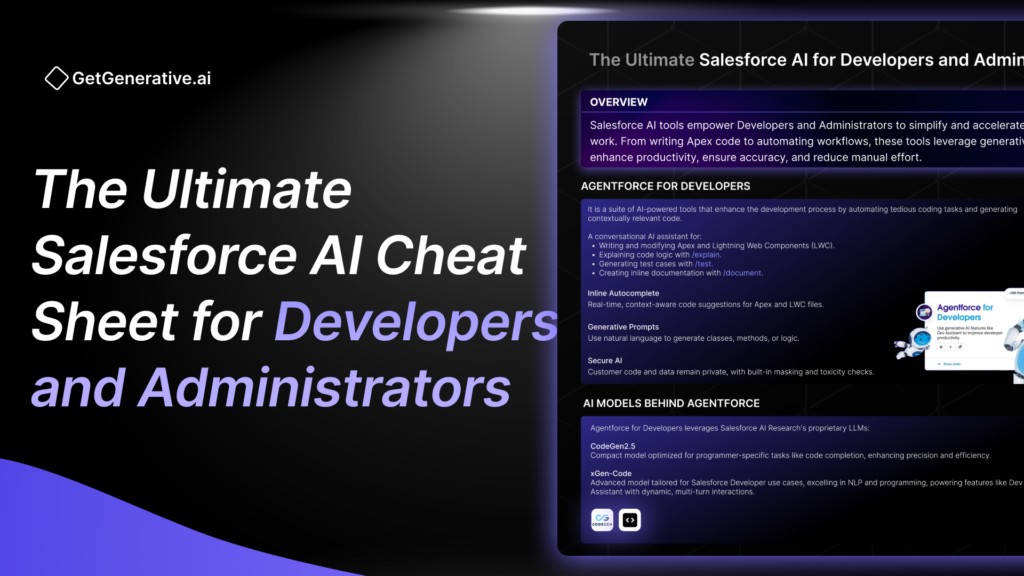
Salesforce’s own help documentation on Agentforce Vibes identifies it as the product formerly known as Agentforce for Developers, and the release notes confirm the Agentforce Vibes Extension reached general availability. Salesforce positions it at professional developers who want to speed up repetitive coding tasks using natural language.
Anything describing Agentforce for Developers, or the earlier Einstein for Developers, is describing this product under a retired name. That includes the previous version of this page.
One further correction belongs here. Older cheat sheets, this one included, listed CodeGen2.5 and xGen-Code as the models behind the developer assistant. That is no longer the right way to describe the stack, because the model provider is now a configuration choice rather than a fixed component, which is covered further down.
The legacy Agentforce Builder stopped creating agents in July 2026
This is the hardest deadline on the page and it has already passed.
Salesforce states that starting the week of 13 July 2026, the New Agent button is no longer available in the legacy Agentforce Builder in Setup. New agents are created in the new builder only.
Two practical consequences for a team.
Runbooks written against the legacy builder no longer work for creation. Existing agents built there continue to exist, and Salesforce maintains separate documentation for how agents created in the legacy builder behave, but the path a new starter follows to create their first agent has changed.
Training material has a shelf life measured in months. Any internal enablement recorded before mid-2026 shows a button that is not there. Check the recording date before circulating anything on agent creation.
Agentforce for Flow moved from generally available back to beta
Features almost always travel in the other direction, which is why this one is worth flagging.
Salesforce’s Summer ’26 release notes state that the capabilities to create, summarise and evolve a flow with Agentforce have moved from generally available back to beta. The same feature set was previously documented as Einstein for Flow, so there are two changes stacked here: a rename and a status reversal.
For an administrator the implication is governance rather than capability. Beta features carry different support expectations and different suitability for production dependencies. A team that adopted flow drafting while it was generally available should know that its status changed underneath them, because nobody sends an email when a feature moves backwards.
Formula creation with Agentforce in Flow Builder is documented separately and also carries a beta designation, so treat the whole flow-authoring assistance set as beta until Setup tells you otherwise in your own org.
Retired Salesforce AI names map to current ones
The core of any 2026 cheat sheet is a translation table, because the single largest source of error in this area is vocabulary rather than configuration.
Retired name | Current name | Changed |
|---|---|---|
Einstein Copilot | Agentforce | Folded in during the Agentforce transition |
Agentforce for Developers | Agentforce Vibes | Renamed, extension now generally available |
Einstein for Developers | Agentforce Vibes | Two renames back |
Einstein for Flow | Agentforce for Flow | Renamed, and now beta rather than GA |
Agent topic | Subagent | April 2026, no functional change |
Topic Selector | Agent Router | April 2026 |
Copilot action | Agent action | With the Agentforce transition |
Data Cloud | Data 360 | Product rename |
Salesforce Certified Administrator | Salesforce Certified Platform Administrator | Credential rename, old URL redirects |
Salesforce Certified Data Cloud Consultant | Salesforce Certified Data 360 Consultant | Credential rename, old URL redirects |
Salesforce’s own documentation warns that during renaming transitions you will see a mix of new and previous terms, and that is visible in their URLs: the page titled Subagents still sits at an address containing agent_topics. Treat a URL as evidence of history rather than of current naming.
Administrators configure Salesforce AI across seven Setup surfaces
Surface | What an administrator does there |
|---|---|
Einstein generative AI setting | The master toggle that gates most generative features, including flow assistance |
Agentforce Builder (new) | Creates agents, defines subagents, assigns actions, sets instructions |
Agentforce Asset Library | Manages and edits subagents as reusable assets |
Prompt Builder | Builds and grounds reusable prompt templates |
Model Builder | Brings models and configures model selection |
Einstein Trust Layer | Masking, grounding controls, audit and retention behaviour |
Agentforce Testing Center | Scores agent responses before production |
Two of those repay attention because they are new to most admins. The Asset Library changes subagents from something buried inside a single agent into a managed, reusable object, which matters once an org runs more than one agent. And Agentforce Observability, covering agent analytics, is where post-launch behaviour becomes visible rather than anecdotal.
Prompt Builder, Model Builder and the Trust Layer each carry enough depth to sit in their own reference; this sheet places them rather than explains them.
Developers extend Salesforce AI through five documented routes
Route | What it gives you | Typical use |
|---|---|---|
Invocable Apex | Custom agent actions with full platform logic | Anything the standard action library does not cover |
Flow | Declarative agent actions without code | Record updates and orchestrations an admin can maintain |
Prompt templates | Grounded, reusable generative output | Summaries and drafted content tied to record data |
Agent Script | Structured control over agent behaviour | Multi-step behaviour that must run the same way twice |
Agentforce Vibes and DX MCP tooling | AI assistance inside the development workflow | Repetitive coding, refactors, migrations |
The ordering is deliberate. The first four extend what an agent can do for a user; the fifth changes how the developer works and produces nothing the customer sees.
Worth stating outright because it is a recurring scoping error: Agentforce Vibes is developer productivity tooling, not an agent your customers interact with. They share a brand and nothing else.
Model provider selection belongs to the administrator
The most useful architectural fact for both roles is that the model is not fixed.
Salesforce documents the Atlas reasoning engine as a graph-based engine that uses the selected model provider, and release material describes selecting Anthropic for Agentforce in Setup. That makes model choice an org configuration decision rather than a property of the product.
Three consequences follow for an admin or developer:
- Behaviour can change without a release. Switching provider changes how instructions are interpreted, so the change belongs under change control alongside any other configuration.
- Testing is provider-specific. A Testing Center run scores the agent as configured, including its model. Change the model and the evidence is stale.
- Documentation should record the selection. Six months later, nobody remembers which provider was active when the agent was tuned.
For the equivalent reference covering customer-facing AI features on the sales and service side rather than the configuration surface, see the sales and service AI sheet.
Salesforce AI cheat sheets go stale in four predictable places
Failure | Why it happens | How to check |
|---|---|---|
Retired product names | Salesforce renamed four AI surfaces during 2026 alone | Search the name in Setup, not in an article |
Model claims | Named models date fast, and provider is now selectable | Check the model configuration in your own org |
GA and beta status | Features move in both directions, as flow assistance shows | Read the current release notes, not last year’s |
Screenshots and button names | The New Agent button moved builders in July 2026 | Date-stamp every screenshot in internal training |
The second and third rows are the ones that embarrass teams in front of clients, because both sound authoritative and both are checkable in under a minute.
Current Salesforce AI surfaces, condensed
Item | Detail |
|---|---|
Developer assistant | Agentforce Vibes, formerly Agentforce for Developers, extension GA |
Agent creation | New builder only, since the week of 13 July 2026 |
Flow assistance | Agentforce for Flow, moved from GA back to beta |
Agent structure | Subagents, formerly topics, since April 2026 |
Routing component | Agent Router, formerly Topic Selector |
Reasoning engine | Atlas, graph-based, uses the selected model provider |
Admin surfaces | Einstein setting, Agentforce Builder, Asset Library, Prompt Builder, Model Builder, Trust Layer, Testing Center |
Developer extension points | Invocable Apex, Flow, prompt templates, Agent Script, Vibes and DX MCP tooling |
Observability | Agentforce Observability for agent analytics |
The recurring trap | Treating Agentforce Vibes as a customer-facing agent |
Delivery teams reuse this reference across engagements
Most of the value in a sheet like this is that it stops the same fifteen minutes being spent on every project working out what a feature is called this quarter. The rest of the value is in the artifacts built on top of it: the configuration workbook, the design document, the test cases with expected results.
GetGenerative.ai agents produce that artifact layer against a live org, so the reference work becomes a starting point rather than the deliverable. Consultants working across several Salesforce orgs can start with the Pro plan for consultants.
Questions administrators and developers ask
Is Agentforce for Developers still available?
It exists under a new name. Salesforce documents Agentforce Vibes as the product formerly known as Agentforce for Developers, with the extension now generally available. Material referring to Agentforce for Developers or Einstein for Developers describes the same lineage under retired names.
Can we still create agents in the legacy Agentforce Builder?
No. Salesforce removed the New Agent button from the legacy builder in Setup starting the week of 13 July 2026, so new agents are created in the new builder only. Existing agents built in the legacy builder continue to run and are documented separately.
Is Einstein for Flow generally available?
It is now called Agentforce for Flow, and Salesforce’s Summer ’26 release notes record the create, summarise and evolve capabilities moving from generally available back to beta. Formula creation with Agentforce in Flow Builder is also documented as beta.
What are agent topics called now?
Subagents, since April 2026, with no change in functionality. The Topic Selector is now the Agent Router. Documentation URLs still contain the older term, which is a transition artefact rather than a contradiction.
Which AI model does Agentforce use?
The one selected in your org. Salesforce documents the Atlas reasoning engine as using the selected model provider, with provider selection available in Setup, so the answer is a configuration fact about your org rather than a property of the product.
What is the difference between Prompt Builder and Model Builder?
Prompt Builder creates grounded, reusable prompt templates that produce generative output tied to record data. Model Builder is where models are brought in and configured. One shapes the request, the other determines what answers it.
Do developers need Agentforce Vibes to build agents?
No. Agents are built from actions, subagents and instructions using Apex, Flow, prompt templates and Agent Script. Vibes accelerates the developer’s own work and produces nothing a customer interacts with, which is a distinction worth making early in any scoping conversation
